Modern real-time architectures increasingly rely on cloud-managed streaming platforms.
Yet, delivering Kafka data efficiently to browsers, mobile apps, and edge clients remains a complex challenge.
With the 1.5.0 release of the Lightstreamer Kafka Connector, developers can now seamlessly integrate Kafka workloads running on Microsoft Azure and stream them to millions of concurrent clients in real time.
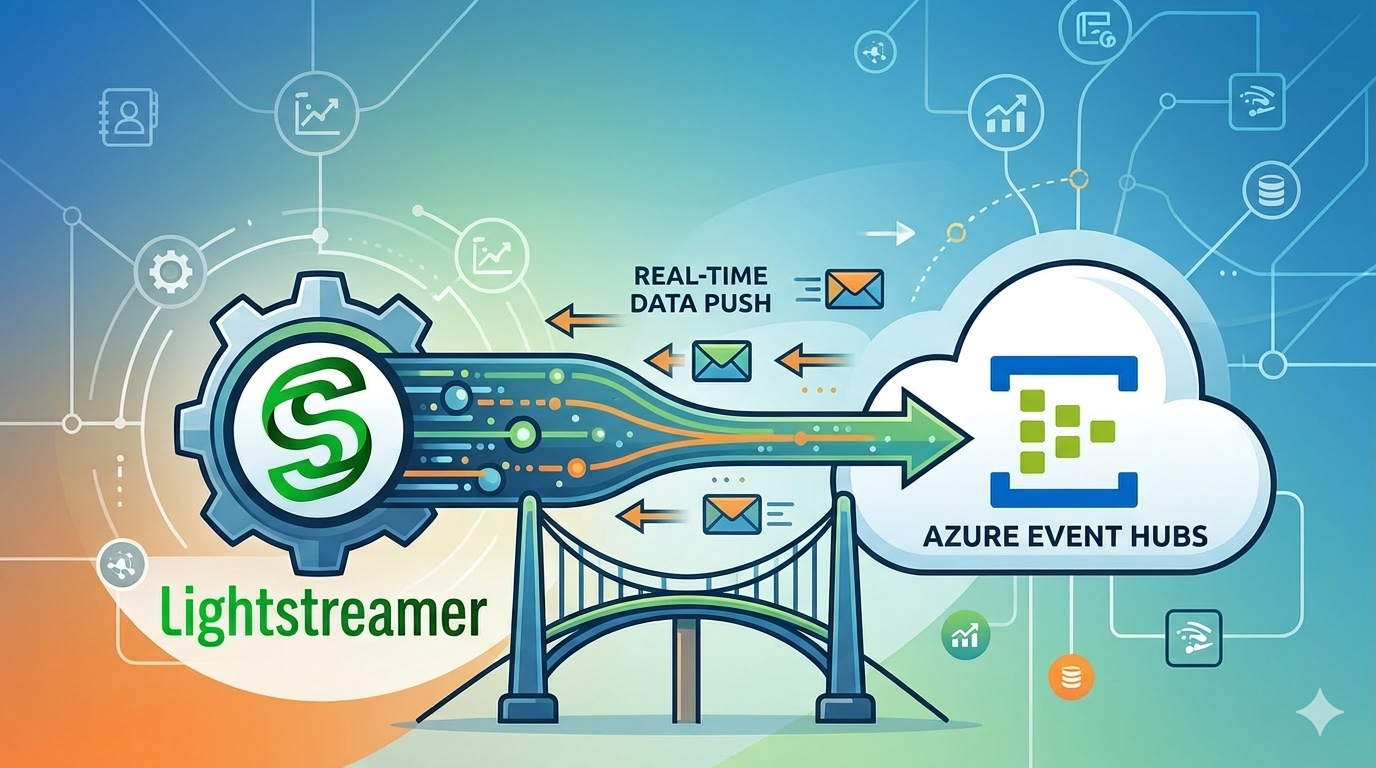
This new Azure support significantly simplifies the path from event ingestion in Azure Event Hubs to real-time delivery over WebSockets, unlocking new possibilities for modern cloud-native applications.
Why Azure + Kafka Needs a “Last-Mile” Streaming Layer
Apache Kafka is the undisputed backbone of modern event-driven architectures. It powers mission-critical pipelines at 80% of Fortune 100 companies, handling trillions of events per day with breathtaking throughput and fault tolerance. But ask any architect who has tried to push Kafka events directly to a browser or a mobile app, and you will hear the same story: Kafka was not built for the public internet.
Direct Kafka connections fail in the presence of corporate firewalls and proxies, suffer from unpredictable internet bandwidth, and simply do not scale to tens of thousands of concurrent subscribers without staggering infrastructure costs. This is the “last-mile” problem — the critical gap between your internal event bus and the end users who need that data in real time.
The Lightstreamer Kafka Connector was created specifically to close this gap. It acts as an intelligent, high-performance proxy between any Kafka broker and the outside world, delivering events over WebSockets to web browsers, mobile apps, and IoT devices at massive scale. And with the latest release, it now ships with explicit, first-class support for Azure Event Hubs — Microsoft’s fully managed, Kafka-compatible event streaming service.
The new release introduces explicit support for Azure Event Hubs (Kafka protocol), enabling:
- Direct connectivity to managed Kafka endpoints on Azure
- Secure authentication via Azure connection strings
- TLS-encrypted communication
- Simplified deployment using Docker-based quickstart environments
This enhancement makes it easier than ever to deploy a fully cloud-native real-time streaming architecture with minimal setup effort.
Architecture Overview
With Azure support enabled, the typical data flow becomes:
Kafka Producers → Azure Event Hubs (Kafka API)
                       ↓
           Lightstreamer Kafka Connector
                       ↓
          Web / Mobile / Desktop Clients
Key benefits include:
- Intelligent streaming and adaptive throttling
- Real-time push delivery (no polling)
- Network-aware bandwidth optimization
- Seamless firewall and proxy traversal
- Massive scalability for client fan-out
These capabilities are core to Lightstreamer’s streaming engine, designed to deliver live data efficiently even under heterogeneous network conditions.
Quickstart: Streaming from Azure Event Hubs in Minutes
The Azure quickstart demonstrates how to connect the Lightstreamer Kafka Connector to an Event Hubs namespace configured for Kafka protocol support.
Step 1 — Prepare Azure Event Hubs
In your Azure subscription:
- Create an Event Hubs namespace
- Create an Event Hub (e.g.,
stocks) - Ensure Kafka protocol support is enabled
- Retrieve a Shared Access Policy connection string
Step 2 — Configure the Connector
Key configuration parameters include:
bootstrap.servers→ Azure Kafka endpoint- TLS encryption settings
- SASL authentication using the Azure connection string
- Environment-variable based configuration for portability
Below is a simplified example showing a Kafka connector configuration for Azure Events Hub
<param name="bootstrap.servers">$env.bootstrap_server</param>
<param name="group.id">lightstreamer-kafka-consumer-group</param>

<!-- ##### ENCRYPTION SETTINGS ##### -->
<param name="encryption.enable">true</param>
<param name="encryption.protocol">TLSv1.2</param>
<param name="encryption.hostname.verification.enable">true</param>

<!-- ##### AUTHENTICATION SETTINGS ##### -->
<param name="authentication.enable">true</param>
<param name="authentication.mechanism">PLAIN</param>
<param name="authentication.username">\$ConnectionString</param>
<param name="authentication.password">$env.connection_string</param>

<!-- ##### RECORD PROCESSING SETTINGS ##### -->
<param name="record.consume.from">EARLIEST</param>
<param name="record.key.evaluator.type">INTEGER</param>
<param name="record.value.evaluator.type">JSON</param>

<!-- ##### Azure Event Hubs specific settings ##### -->
<param name="record.consume.with.max.poll.interval.ms">50000</param>
<param name="record.consume.with.session.timeout.ms">30000</param>
Security note: Never commit your connection string to source control. Use environment variables or Azure Key Vault for production deployments.
Step 3 — Run the Demo
To simplify the setup, the quickstart includes a start.sh script that automatically starts the required services using Docker. By running the script, two containers are launched:
- The Lightstreamer Server + Lightstreamer Kafka Connector
- The Kafka messages producer
This allows you to bring up the streaming pipeline in a fully automated way, without manual configuration steps. Once the services are running, you can open the sample web client in your browser to start receiving real-time updates.
Within seconds, Kafka messages published to Azure Event Hubs will be streamed live to the browser.
Using a Schema Registry with Azure Event Hubs (Optional)
In real-world Kafka deployments, message payloads are rarely plain JSON strings.
Instead, teams typically rely on structured serialization formats such as Avro, Protobuf, or JSON Schema, managed through a Schema Registry.
When using Azure Event Hubs with Kafka protocol support, introducing a Schema Registry helps ensure:
- Strong data contracts between producers and consumers
- Safe schema evolution across distributed systems
- Reduced payload size through binary serialization
- Better governance in event-driven architectures
If your organization runs Apache Kafka workloads on Azure Event Hubs and enforces schema contracts using Avro or JSON, you can now stream those validated, strongly-typed Kafka records all the way to web browsers, mobile apps, and IoT devices — with zero polling and zero compromise on schema governance.
The connector now supports two Schema Registry providers, configurable via the schema.registry.provider parameter in adapters.xml:
| Provider | Value | Use Case |
|---|---|---|
| Confluent Schema Registry | CONFLUENT (default) | Self-hosted or Confluent Cloud |
| Azure Schema Registry | AZURE | Azure Event Hubs namespaces |
Setting schema.registry.provider to AZURE activates the full Azure Schema Registry client, including Microsoft Entra ID (formerly Azure Active Directory) authentication.
Note: Azure Schema Registry is an Azure-native service tied to Event Hubs namespaces and is not available outside of Azure. If you are running self-hosted Kafka or Confluent Cloud, use the
CONFLUENTprovider instead.
Supported Serialization Formats
Azure Schema Registry supports Avro and JSON schema formats. Consequently, when using the AZURE provider, the record.value.evaluator.type parameter must be set to either AVRO or JSON. Protobuf is not supported by Azure Schema Registry and is not available with this provider. If your pipeline requires Protobuf deserialization, use the CONFLUENT provider with Confluent Schema Registry instead.
Avro vs JSON: Which Format Should You Choose?
Both formats are fully supported, but they serve different needs:
- Avro is a compact binary format that produces smaller payloads, offers faster serialization, and enforces strict schema validation at write time. It is the preferred choice for high-throughput pipelines such as financial market data, telemetry ingestion, and event sourcing — where every byte and millisecond counts.
- JSON Schema produces human-readable payloads that are easier to inspect and debug. It is well-suited for integration scenarios where downstream consumers (or the producers themselves) work with JSON natively, or where teams are transitioning incrementally toward schema governance.
The connector handles both formats transparently — you only need to set record.value.evaluator.type to AVRO or JSON and ensure your producers use the matching Azure Schema Registry serializer.
Choosing Between Confluent and Azure Schema Registry
With version 1.5.0, the connector supports both Confluent and Azure Schema Registry. The right choice depends on your Kafka infrastructure:
| Consideration | Confluent | Azure |
|---|---|---|
| Kafka platform | Self-hosted Kafka, Confluent Cloud, or any standard Kafka broker | Azure Event Hubs (Kafka-compatible) |
| Schema formats | Avro, JSON Schema, Protobuf | Avro, JSON Schema |
| Authentication | HTTP basic auth, mTLS, OAuth | Microsoft Entra ID (service principal) |
| Schema management | Confluent Control Center or REST API | Azure Portal or Azure CLI |
| Best for | Multi-cloud or hybrid Kafka deployments | Azure-native architectures using Event Hubs |
If your Kafka workloads run on Event Hubs and your organization already uses Entra ID for identity management, Azure Schema Registry is the natural fit — it eliminates the need to deploy and manage a separate schema registry service.
Microsoft Entra ID Authentication
The connector authenticates to Azure Schema Registry using a Microsoft Entra ID service principal. Authentication requires three configuration parameters:
schema.registry.azure.tenant.id— the Directory (tenant) IDschema.registry.azure.client.id— the Application (client) IDschema.registry.azure.client.secret— the client secret value
Version 1.5.0 uses client secret credentials. Support for Managed Identity authentication may be added in a future release.
Step-by-Step Configuration Guide
Step 1: Azure Prerequisites
Before configuring the connector, complete the following in the Azure Portal:
1.1 — Create or identify your Event Hubs namespace
Your namespace URL will follow the pattern https://<namespace>.servicebus.windows.net. This is your schema.registry.url.
1.2 — Create a Schema Group
Inside your Event Hubs namespace, navigate to the Schema Registry section and create a Schema Group (e.g., my-schema-group). Select the serialization type (Avro or JSON) and configure its compatibility mode (None, Backward, Forward, or Full) depending on how strictly you want to enforce schema evolution rules across your producer teams.
1.3 — Register a Microsoft Entra application
In Microsoft Entra ID (Azure Active Directory):
- Create an App Registration and note the Directory (tenant) ID and Application (client) ID
- Under Certificates & secrets, create a new client secret and copy its value immediately
1.4 — Assign IAM roles
On your Event Hubs namespace (not just the hub), assign:
- Schema Registry Reader to the service principal used by the connector
- Schema Registry Contributor to the service principal used by any Kafka producer that registers schemas at runtime (
auto.register.schemas=true)
Step 2: Configure the Lightstreamer Kafka Connector
In your adapters.xml file, add the following parameters to your Kafka connector adapter configuration:
<!-- Enable Schema Registry deserialization -->
<param name="record.value.evaluator.schema.registry.enable">true</param>

<!-- Serialization format: AVRO or JSON (Protobuf not supported with Azure) -->
<param name="record.value.evaluator.type">AVRO</param>

<!-- Azure Schema Registry provider -->
<param name="schema.registry.provider">AZURE</param>

<!-- Azure Event Hubs namespace URL -->
<param name="schema.registry.url">$env.SCHEMA_REGISTRY_URL</param>

<!-- Microsoft Entra ID service principal credentials -->
<param name="schema.registry.azure.tenant.id">$env.AZURE_TENANT_ID</param>
<param name="schema.registry.azure.client.id">$env.AZURE_CLIENT_ID</param>
<param name="schema.registry.azure.client.secret">$env.AZURE_CLIENT_SECRET</param>
Lightstreamer supports environment variable substitution in adapters.xml using the $env.VARIABLE_NAME syntax. The corresponding values are then provided at runtime — for example, through Docker Compose. This approach keeps sensitive credentials out of your configuration files.
Use Cases Enabled by Azure Integration
This release unlocks powerful new scenarios:
📊 Real-Time Dashboards on Azure
Stream operational metrics, financial ticks, or IoT telemetry directly to web dashboards.
📱 Live Mobile Experiences
Push event-driven updates to mobile apps with minimal latency and network overhead.
🧠 Cloud-Native Microservices Architectures
Bridge Azure-hosted event pipelines with real-time UI layers.
🌐 Massive Client Fan-Out
Serve millions of concurrent clients without stressing Kafka clusters.
Why This Matters for Modern Streaming Architectures
As enterprises adopt managed Kafka services in the cloud, the challenge shifts from data ingestion to real-time data delivery.
By combining:
- Azure Event Hubs for scalable ingestion
- Kafka for event streaming backbone
- Lightstreamer for intelligent last-mile delivery
teams can build end-to-end real-time platforms optimized for performance, scalability, and user experience.
Get Started Today
To help you get started quickly with real-time streaming on Azure using Kafka and Lightstreamer, here are the key resources referenced in this guide.
Lightstreamer Kafka Connector
- 👉 GitHub project:
https://github.com/Lightstreamer/Lightstreamer-kafka-connector - 👉 Azure Quickstart example:
https://github.com/Lightstreamer/Lightstreamer-kafka-connector/tree/main/examples/vendors/azure/quickstart-azure
These resources provide ready-to-run examples and configuration templates to help you integrate Azure Event Hubs into your real-time architecture.
Azure Event Hubs Documentation
- 👉 Azure Event Hubs overview:
https://learn.microsoft.com/azure/event-hubs/event-hubs-about - 👉 Using Event Hubs with the Kafka protocol:
https://learn.microsoft.com/azure/event-hubs/event-hubs-for-kafka-ecosystem-overview
These guides explain how to configure Kafka-compatible ingestion, security, and scalability on Azure.
Azure Schema Registry
- 👉 Azure Schema Registry documentation:
https://learn.microsoft.com/it-it/azure/event-hubs/create-schema-registry - 👉 Schema Registry client usage examples:
https://learn.microsoft.com/azure/event-hubs/schema-registry-concepts
Using a Schema Registry helps ensure consistent data contracts and safe schema evolution in large event-driven systems.

 Giuseppe Corti
 Alessandro Alinone